Requests
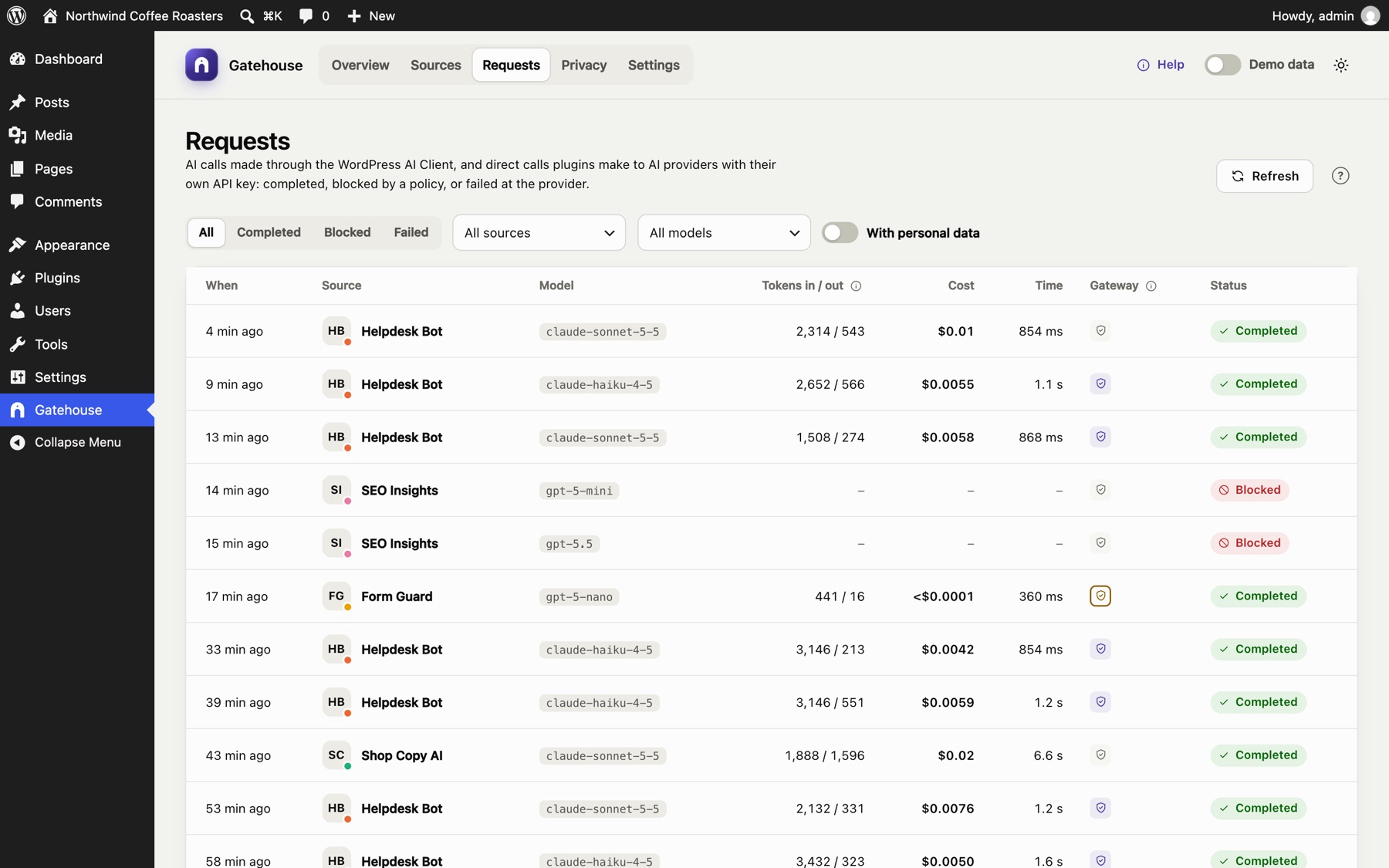
The Requests page is a log of every AI call Gatehouse sees, newest first: calls made through the WordPress AI Client, and calls plugins make to AI providers directly with their own API key.
Columns#
| Column | Meaning |
|---|---|
| When | How long ago the call was made. Hover for the exact time. |
| Source | The plugin or theme that made the call |
| Model | The AI model that answered |
| Tokens in / out | Tokens sent and tokens received (output includes any "thinking" tokens the model reports) |
| Cost | Estimated cost. n/a means the cost isn't known: the model has no price yet, or the plugin read a streamed answer itself so the token counts weren't available. The details say which. |
| Time | How long the provider took to answer |
| Gateway | Personal data in the request. Outlined shield: found and sent unchanged. Filled shield: replaced with placeholders (redaction on for that plugin). Grey: none found. |
| Status | Completed, Blocked (stopped by a pause, a budget, an hourly limit or Connector Approval) or Failed (the provider returned an error) |
Filters#
Filters sit in one row above the table and work together:
- All / Completed / Blocked / Failed: filter by status.
- All sources: show one plugin or theme.
- All models: show one model.
- With personal data: only calls where personal data was found.
- Clear filters resets them.
Use Refresh to load calls made since you opened the page. Use Previous / Next at the bottom to page through the log, 25 calls at a time.
Request details#
Click any row, or select it and press Enter, to open its details.
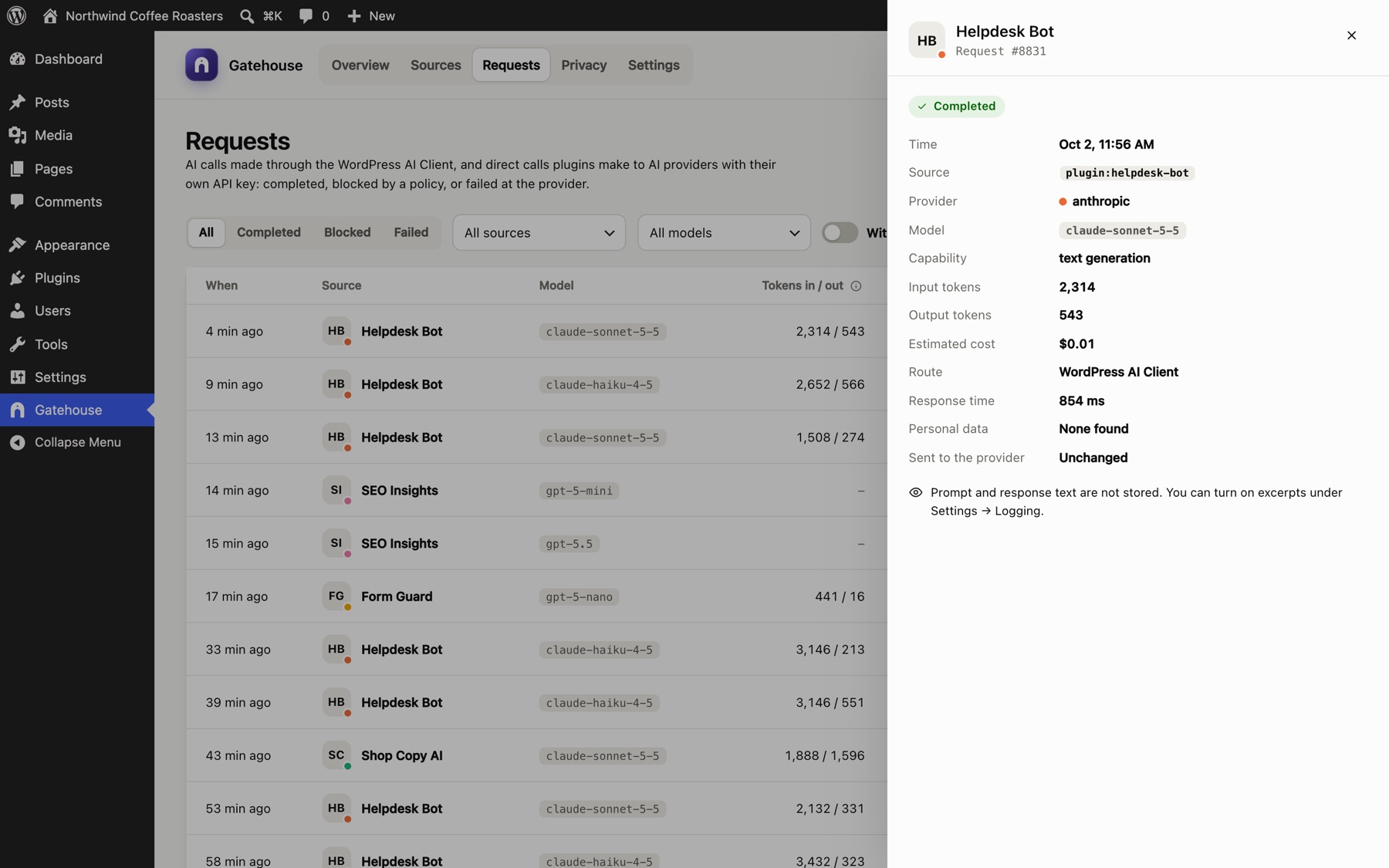
The panel shows the time, source, provider, model, capability (for example text generation), input and output tokens, estimated cost, the route (WordPress AI Client, or direct with the plugin's own key), response time, the personal data found (kinds and counts) and whether it was sent unchanged or with items replaced.
- Blocked calls show why, for example Monthly budget reached, Hourly limit reached or Source is paused.
- Calls without a cost show why, for example Streamed answer read by the plugin itself.
- Failed calls show the provider's error, for example HTTP 529: Overloaded.
Prompt and response text#
By default Gatehouse does not store prompt or response text, only the facts above. If you need the text for debugging, turn on Store prompt and response excerpts in Settings. The first 1,000 characters of each prompt and each response are then shown here for new calls. Personal data that Gatehouse detects is always masked in the stored prompt, even for plugins without redaction. Responses are stored as received and can contain customer data.
How long calls are kept#
Calls are kept for 90 days by default (30, 90, 180 or 365 days; see Settings), then deleted automatically once a day.
Still stuck? Check Troubleshooting and the FAQ, or ask on the support forum. Inside WordPress, click Help at the top right of Gatehouse.