George Stathopoulos
Portrait of George Stathopoulos Athens, Greece
Customer Experience & Quality Lead at WP Media

George Stathopoulos

Customer experience, built for people

13+ years transforming customer experience across SaaS products: scaling support operations, building AI-driven workflows and turning insight into measurable outcomes, while keeping real people at the centre.

  • 13+years in SaaS and support leadership
  • 94%CSAT achieved at WP Media
  • ~30%fewer Imagify tickets through AI automation
  • ~18support professionals led and developed
About

Support operations as a strategic asset

I specialise in transforming support from a reactive cost centre into a proactive customer experience engine. My work spans Zendesk migrations, AI-driven automation, quality governance and cross-functional alignment, connecting Support with Product, Engineering and Marketing to drive outcomes that genuinely matter.

I'm known for reducing friction at scale: building workflows that hold up under pressure, translating raw ticket data into structured insights that influence product direction, and designing quality systems that make great support repeatable, not accidental.

Whether architecting a knowledge governance framework, leading a team of 18 or running a full Zendesk migration from scratch, I work with the same principle: quality at scale is a design problem.

Current role
Customer Experience & Quality Lead, WP Media
Location
Athens, Greece
Industry
SaaS · WordPress ecosystem
Languages
Greek (native) · English (professional)
Focus
Support transformation · AI automation · Quality systems
Approach to AI

AI used carefully, and for people

I build AI into support and product workflows every day, so I've seen what it does well and where it goes wrong. My rule is simple: AI should never replace people. It should give them back time for the conversations that matter.

“The best use of AI is not fewer people. It's people with more time for each other.”

How I approach every AI project
  • People stay in charge

    AI drafts, sorts and suggests. People decide, especially when a customer is upset, money is involved or the answer isn't obvious.

  • Automate the repetitive, not the relationship

    Let automation answer the same question for the hundredth time, so the team can give real attention to the conversations that need a human.

  • Privacy by default

    Customer data shouldn't leave your hands without a reason. It's why I built Gatehouse to show which plugins send personal data to AI providers, and to strip it where it isn't needed, and Helpdesk Hero so support never needs a customer's password.

  • Honest about it

    People deserve to know when they're talking to a machine, and they should always be able to reach a person.

  • Measure, then trust

    Every AI workflow has to earn its place with evidence: quality, customer satisfaction and cost, reviewed regularly rather than assumed. If it doesn't make the experience better for customers and the team, it goes.

Experience

13 years in SaaS customer experience

WP Media

Mar 2023 – present

  • WP Rocket
  • Imagify
  • RocketCDN

Customer Experience & Quality Lead Current

Promoted to own end-to-end customer experience and quality strategy across WP Media's products: quality governance, documentation strategy, AI-driven support optimisation and cross-functional alignment with Product, Engineering and Marketing.

Head of Support

Led the transformation of support operations, from tooling and team performance to AI automation and customer experience strategy.

  • Led the migration from Help Scout (8 mailboxes) to Zendesk, building a scalable operations platform across products and teams
  • Reduced first response time from ~24 hours to a few hours through workflow redesign and prioritisation logic
  • Increased CSAT from 90% to 94% through structured quality programmes and process improvements
  • Reduced Imagify ticket volume by ~30% through AI-powered automation and better self-service
  • Designed and implemented 100+ standardised support workflows, improving consistency across teams
  • Established structured escalation processes across Support, Product and Engineering
  • Introduced support tiering frameworks that reduced unnecessary escalations
  • Built RocketCare, a premium support service for installation and onboarding
  • Led and developed a team of ~18 support professionals through coaching frameworks and quality systems
WPMU DEV

Jun 2013 – Mar 2023

Head of Sales & Accounts

Led global accounts and customer operations across a distributed SaaS organisation, owning onboarding, retention, account management and customer success workflows.

  • Improved operational scalability through reporting systems and customer lifecycle process design
  • Partnered with support and product teams to improve retention and satisfaction

Support Team Lead

Led a support team responsible for customer issue resolution, onboarding and product guidance.

  • Implemented coaching, training and performance frameworks to improve consistency and quality
  • Worked with leadership to improve support workflows and reduce resolution friction

Accounts Support Specialist

Managed customer accounts, billing and retention enquiries, and contributed to early support workflow and onboarding improvements.

Skills

What I bring

Core competencies

  • Customer experience strategy
  • Support operations leadership
  • AI-powered support automation
  • Process and workflow design
  • Knowledge management
  • Service design
  • Customer journey optimisation
  • Support analytics and reporting
  • Escalation management
  • Cross-functional leadership
  • Documentation strategy
  • Operational scaling
  • Quality governance

Tools and platforms

  • Zendesk
  • Help Scout
  • Metabase
  • Looker Studio
  • Jira
  • Asana
  • Trello
  • Mixpanel
  • Stripe
  • Hubstaff
  • Google Workspace
  • AI support tools
Projects

Things I’ve built

Tools for support, clearer decisions and everyday life. Free, open source, and built to be useful and easy to understand.

LiveWeb app

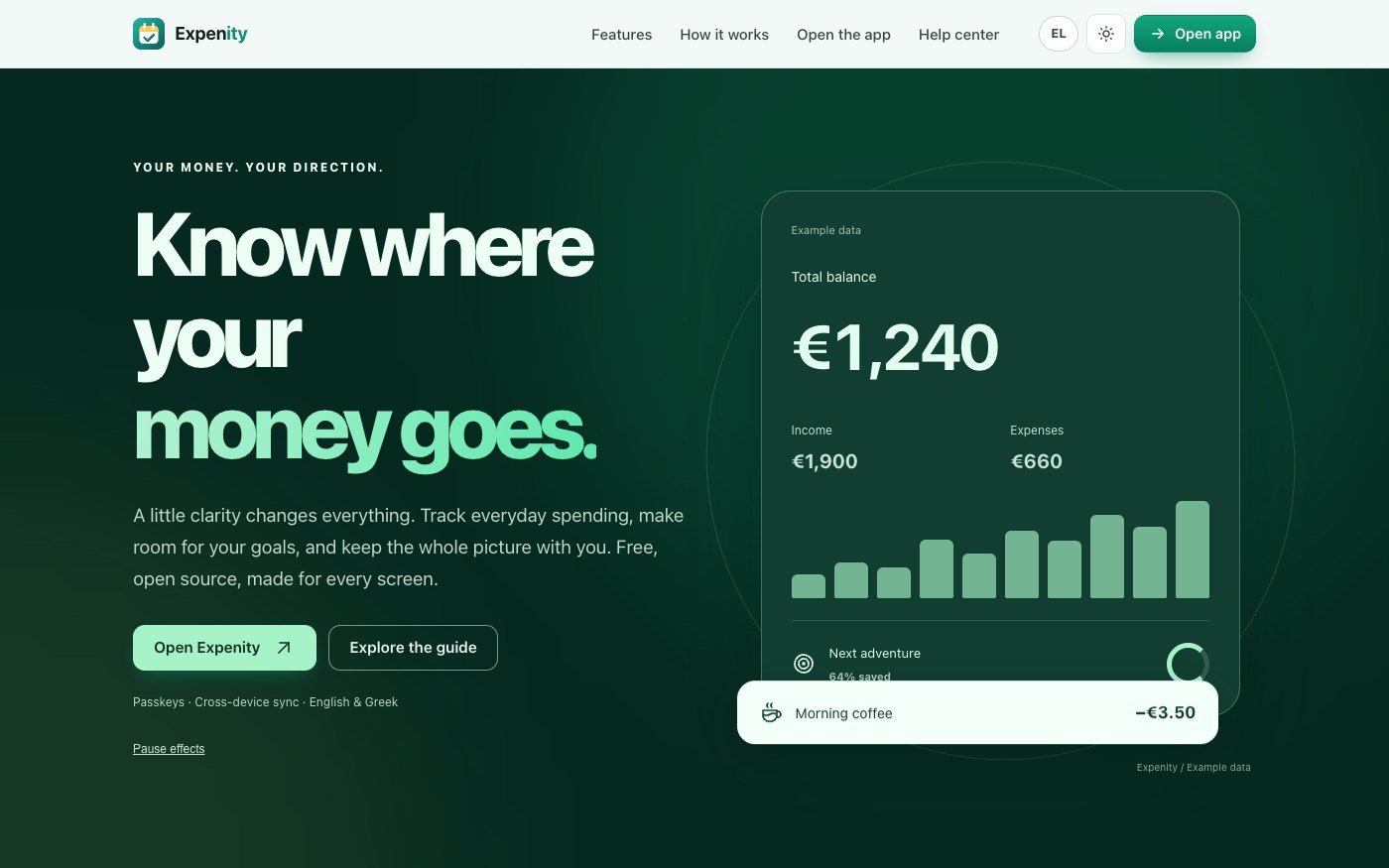
Expenity

Know where your money goes. English and Greek.

A free, mobile-first money app, made because my wife Olga wanted an easy way to track expenses. Receipt scanning on your device, a daily “you can spend today” number, streaks, 25 animated tutorials, passkey sync and shared wallets. Works on iPhone, Android and computers with no app store.

What it does

Expenity brings expenses, income, bills, budgets and savings goals together across phones, tablets and computers. It started as a simple request, an easy way to track expenses, and grew into a very full app that still tries to stay easy: you choose Basic, Pro or Advanced, and every feature has a short animated tutorial and a pulsing help icon.

  • Type an expense as a sentence, scan receipts on your device (English and Greek), and attach small photos
  • A daily “you can spend today” number with your own daily, weekly or monthly targets, plus income targets and streaks
  • Budgets & goals, repeating income, reports with a 90-day forecast, and shared wallets with roles
  • Safety nets: duplicate guard, price-change alerts, drafts, recently deleted and search filters
  • 25 animated tutorials, a contact form, passkey sync, eighteen themes you can adjust with a pencil
  • Personal finance
  • Passkeys
  • Greek
LiveWordPress plugin

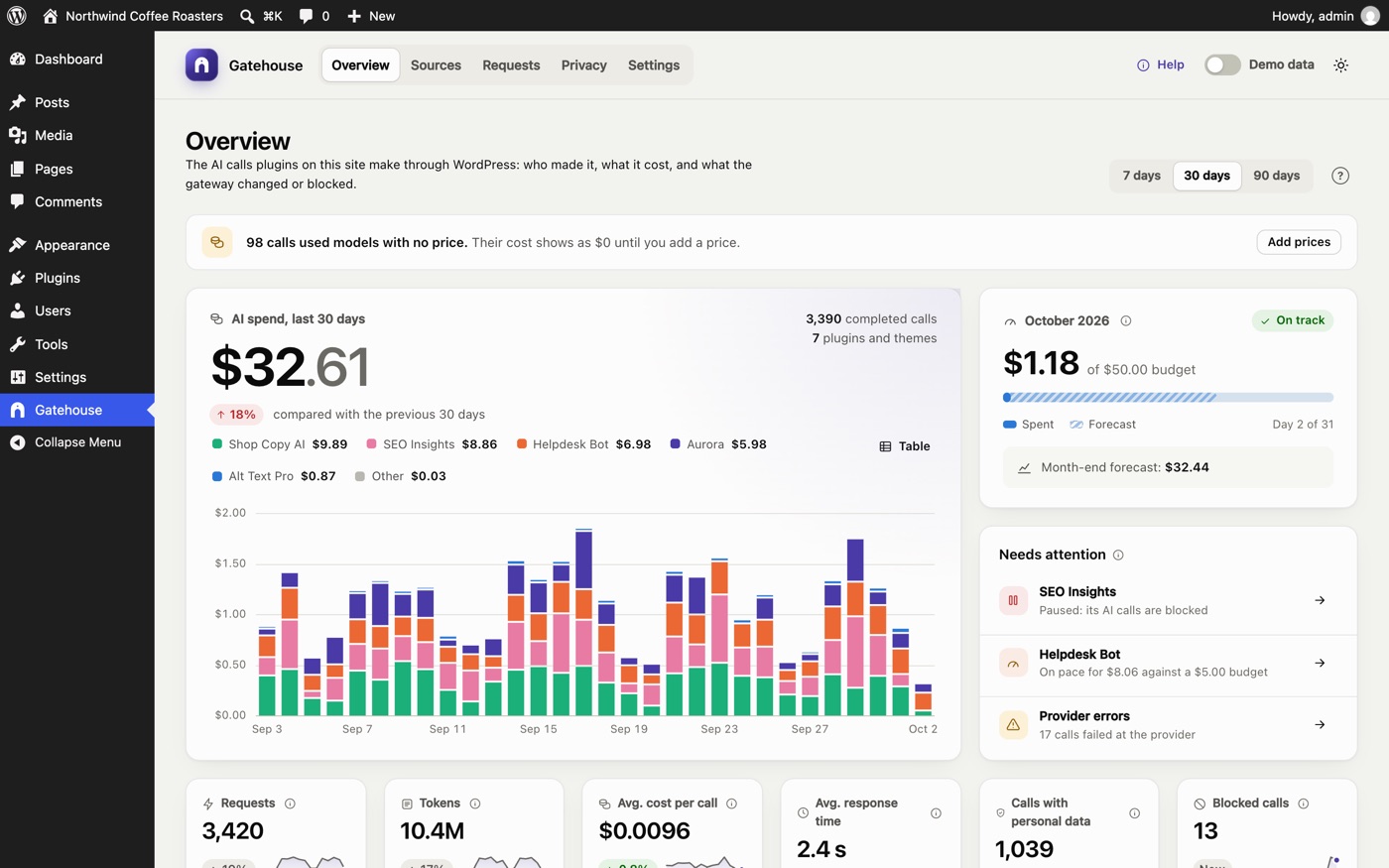
Gatehouse

AI cost control and personal data checks

See AI spending by WordPress plugin, set budgets, and check personal data before requests leave the site.

What it does

AI plugins share one bill, with no spending limit per plugin and no view of what they send. Gatehouse sits between the plugins and the AI providers they use.

  • Shows which plugin spends what, call by call
  • Monthly budgets and hourly limits that stop calls before they're sent
  • Shows which plugins send personal data, with redaction per plugin
  • Exports an AI data map for records and client reports
  • AI governance
  • Privacy
  • WordPress
LiveWordPress plugins

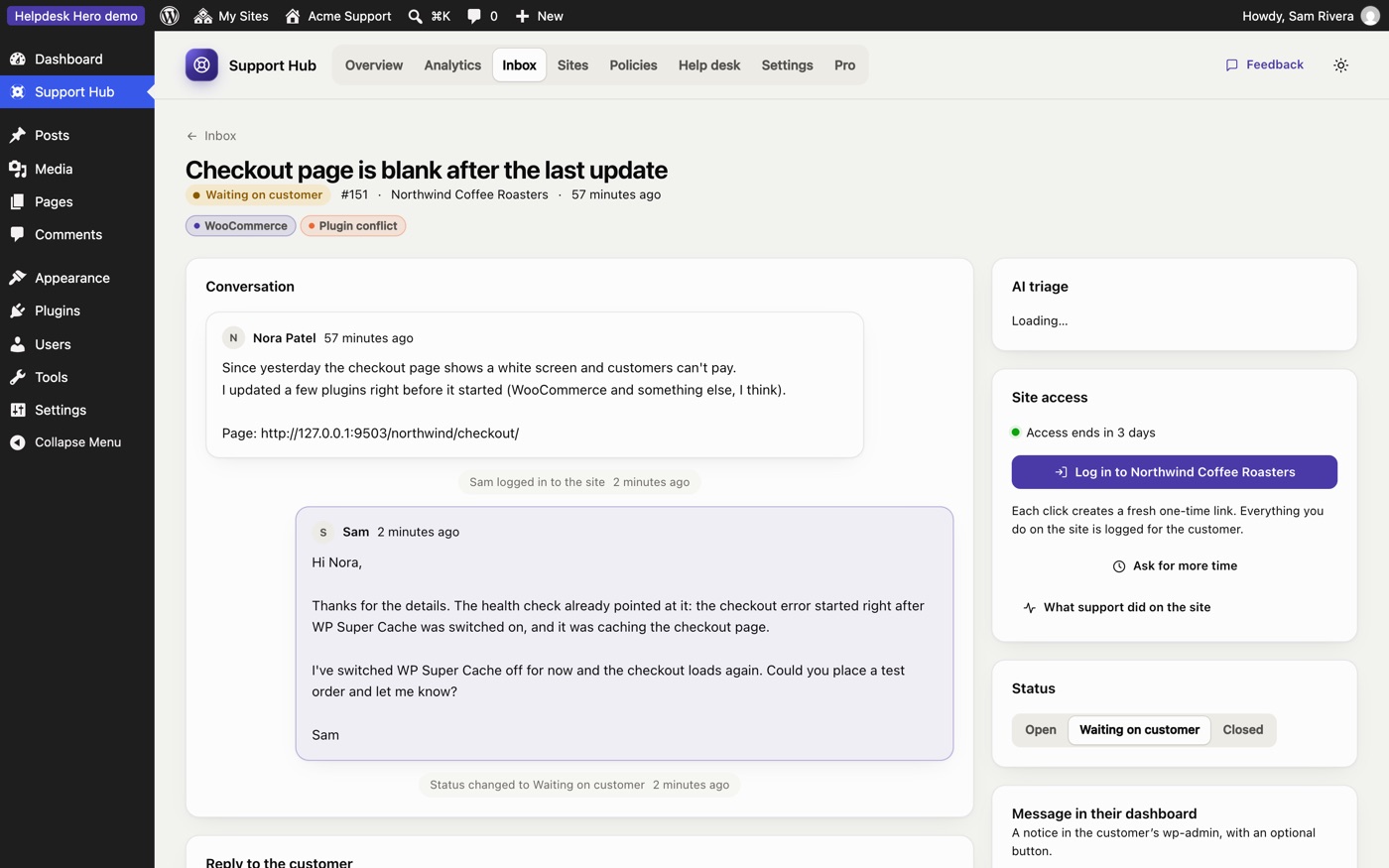
Helpdesk Hero

Support with diagnostics and password-free access

Customer tickets, useful diagnostics and temporary site access, directly from the WordPress dashboard.

What it does

Support teams spend the first emails of every ticket asking for versions, plugins and passwords. Helpdesk Hero lets customers open tickets from their dashboard with all of that attached, and gives support safe, temporary access.

  • Tickets arrive with diagnostics and a health check that points at the likely cause
  • One-click, one-time logins: no shared passwords, access ends on its own
  • Everything support does is logged for the customer
  • Support policies, templates and a live two-site demo
  • Customer support
  • Security
  • WordPress
LiveWordPress plugin

Fixpass

Show support where it breaks, and let them in safely

Point at the exact problem and give support temporary access, without sharing a password.

What it does

Customers and support teams often get lost in translation: which page, which button, and a password sent by email. Fixpass lets the customer point at the problem and gives support safe, temporary access.

  • Spotlight: click or box the exact spot that's broken, with a note
  • Temporary full access with reusable or one-time links, no passwords
  • Copy every detail support needs in one click
  • Site details, debugging and troubleshooting mode for support only
  • Customer support
  • Security
  • WordPress
LiveWeb app + extension

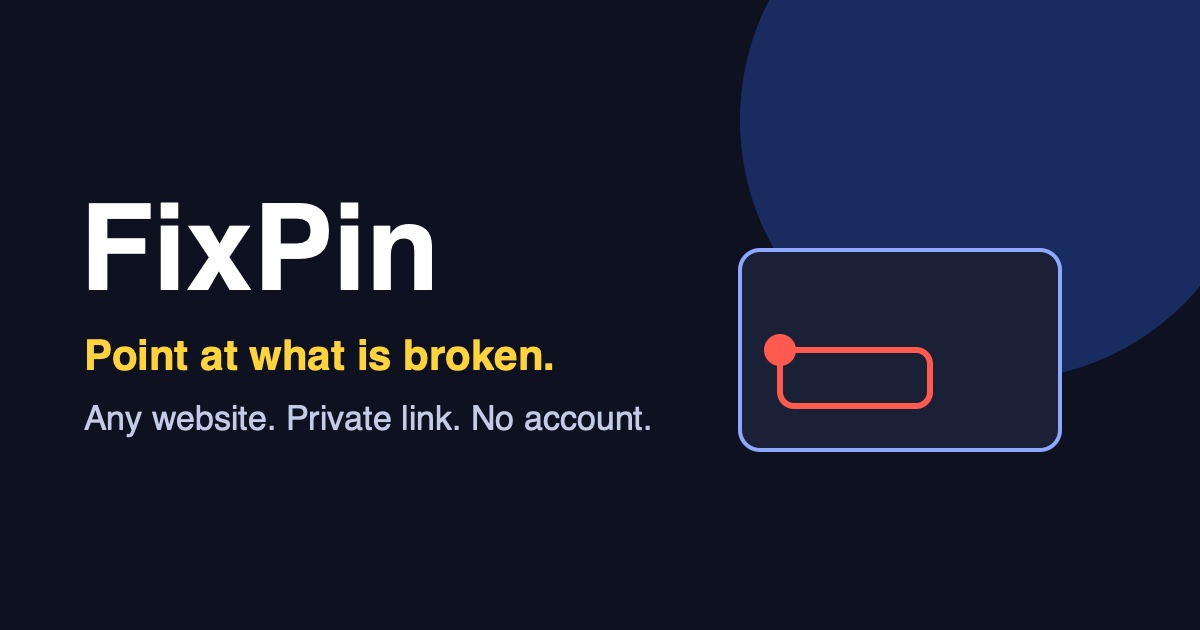
FixPin

Point at what is broken, on any website

Mark the broken spot, add a note and share a private link that deletes itself. No account.

What it does

Spotlight, the favourite feature of Fixpass, got its own home for everyone who is not on WordPress. An installable app and a browser extension turn "the blue button doesn't work" into a screenshot with the spot marked.

  • Click or box the broken spot, with a note, up to five spots
  • The extension adds the page, screen, browser and errors from the page
  • Links last 1, 7 or 30 days, with an optional passcode, then delete themselves
  • No accounts, no tracking; runs on Cloudflare and can be self-hosted
  • Browser extension
  • Customer support
  • Privacy
LiveExtension + web app

Docs Gap Finder

Find what your documentation does not answer yet

Open a Zendesk ticket, click the extension and see which help articles match and which needs have no coverage. No AI.

What it does

Every help center has questions it has never answered, and the tickets know which. A Chrome and Edge extension checks the open ticket against your indexed documentation and points at the gaps.

  • Index your public documentation from its homepage
  • Scan a ticket: relevant articles, potential gaps, suggested improvements
  • Deterministic word matching with your own vocabulary; no AI
  • Ticket text never leaves the browser
  • Browser extension
  • Customer support
  • Privacy
LiveWeb app

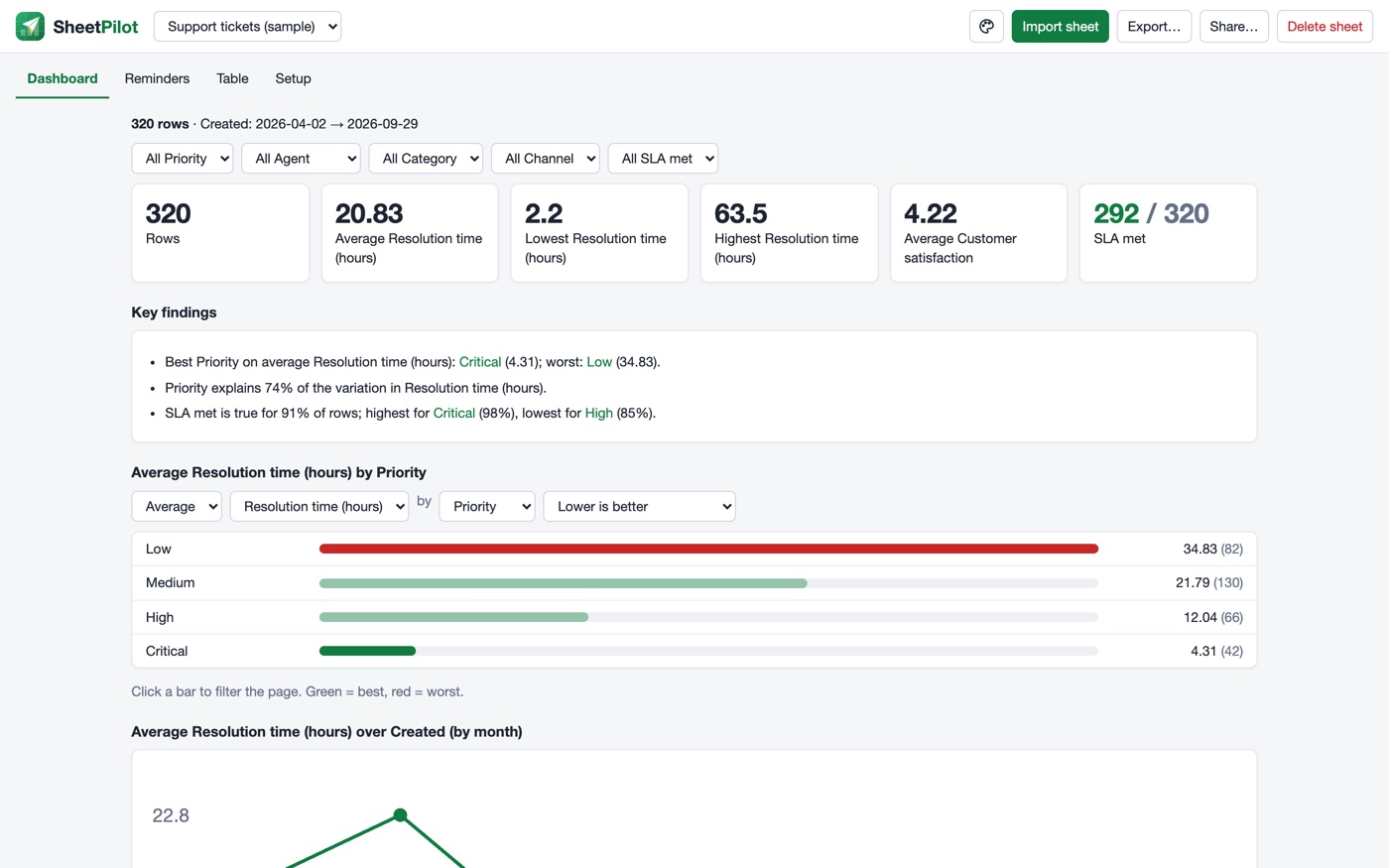
SheetPilot

Turn any spreadsheet into a dashboard, in your browser

Turn CSV and Excel files into interactive dashboards in your browser, with nothing uploaded.

What it does

Most teams keep what matters in spreadsheets, but they only store it. SheetPilot reads a CSV or Excel file, works out what is in it and how it is calculated, and shows what stands out. Nothing is uploaded.

  • Reads messy sheets and finds the formulas and logic behind the numbers
  • Explains how it read the sheet, and lets you correct any choice
  • Plain-language findings, ten styles, export and share links
  • Runs entirely in your browser: no account, no upload
  • Data
  • Spreadsheets
  • Privacy
> blog.exev1.0 · now loading stories... Every project has a story. Mine usually starts with “how hard can it be?” PRESS START READ THE BLOG