Gatehouse, live in your browser
The demo runs on WordPress Playground: a shop with three months of AI calls from several fictional plugins, with budgets, hourly limits and a personal data report. It takes about a minute to start. Nothing is installed on your computer, nothing you do is saved, and no AI calls leave your browser.
Opens playground.wordpress.net in a new tab. Works best in a desktop browser.
A five-minute tour
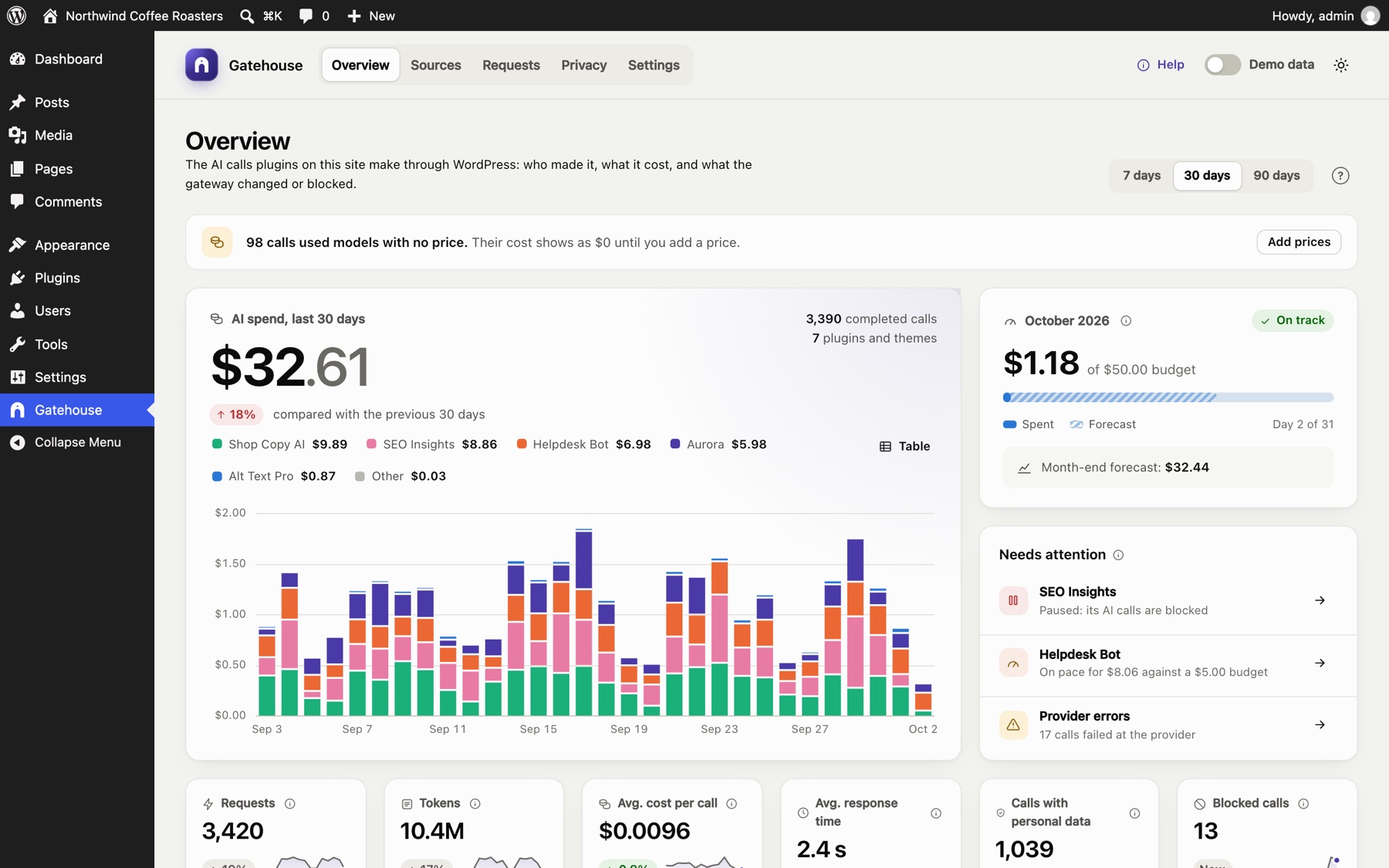
Where the money goes
Spend for the last 30 days by plugin, the month-end forecast, the site budget and anything that needs attention.
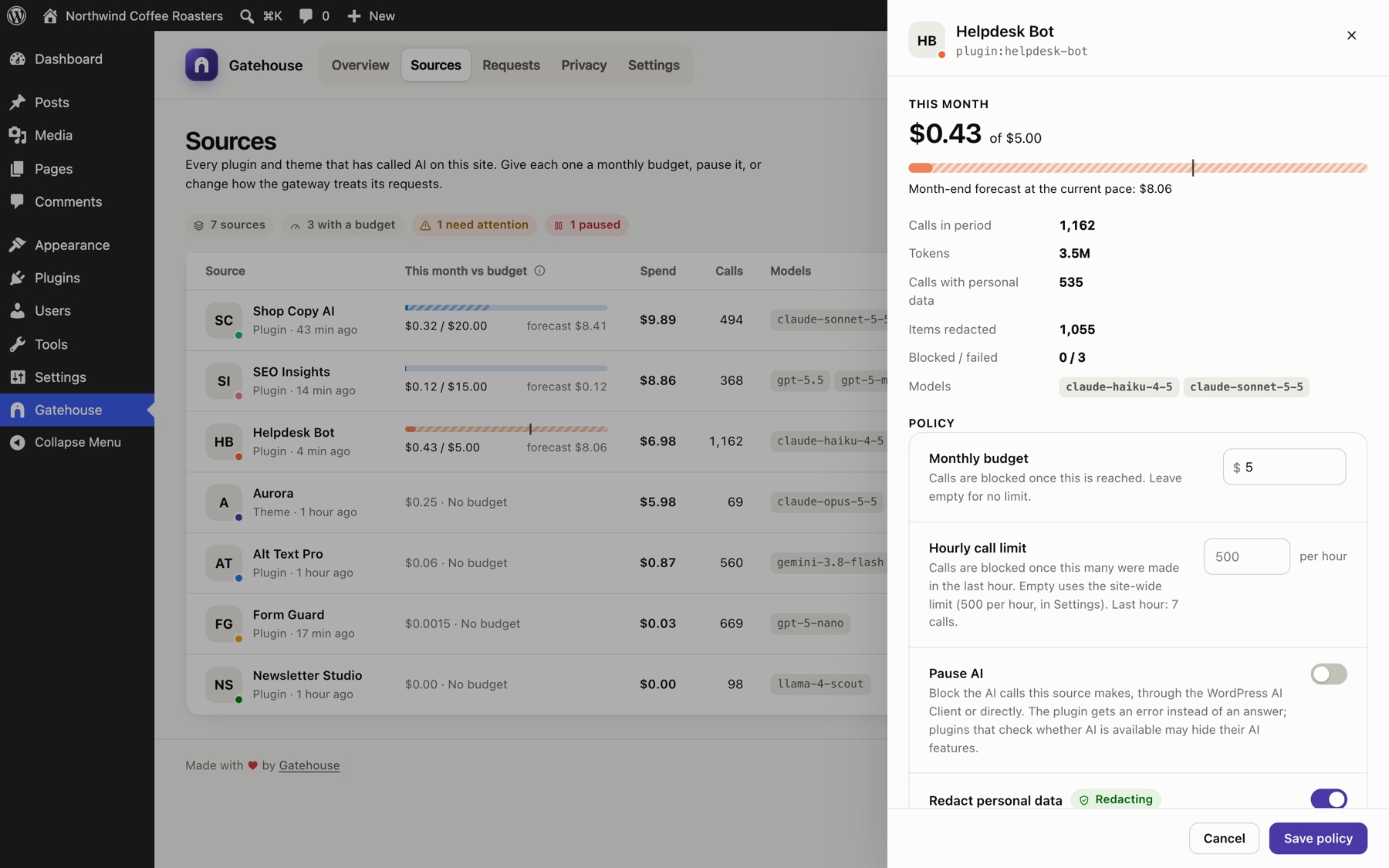
Cap a plugin
Open Sources, pick a plugin and give it a monthly budget or an hourly call limit, or pause its AI with one switch.
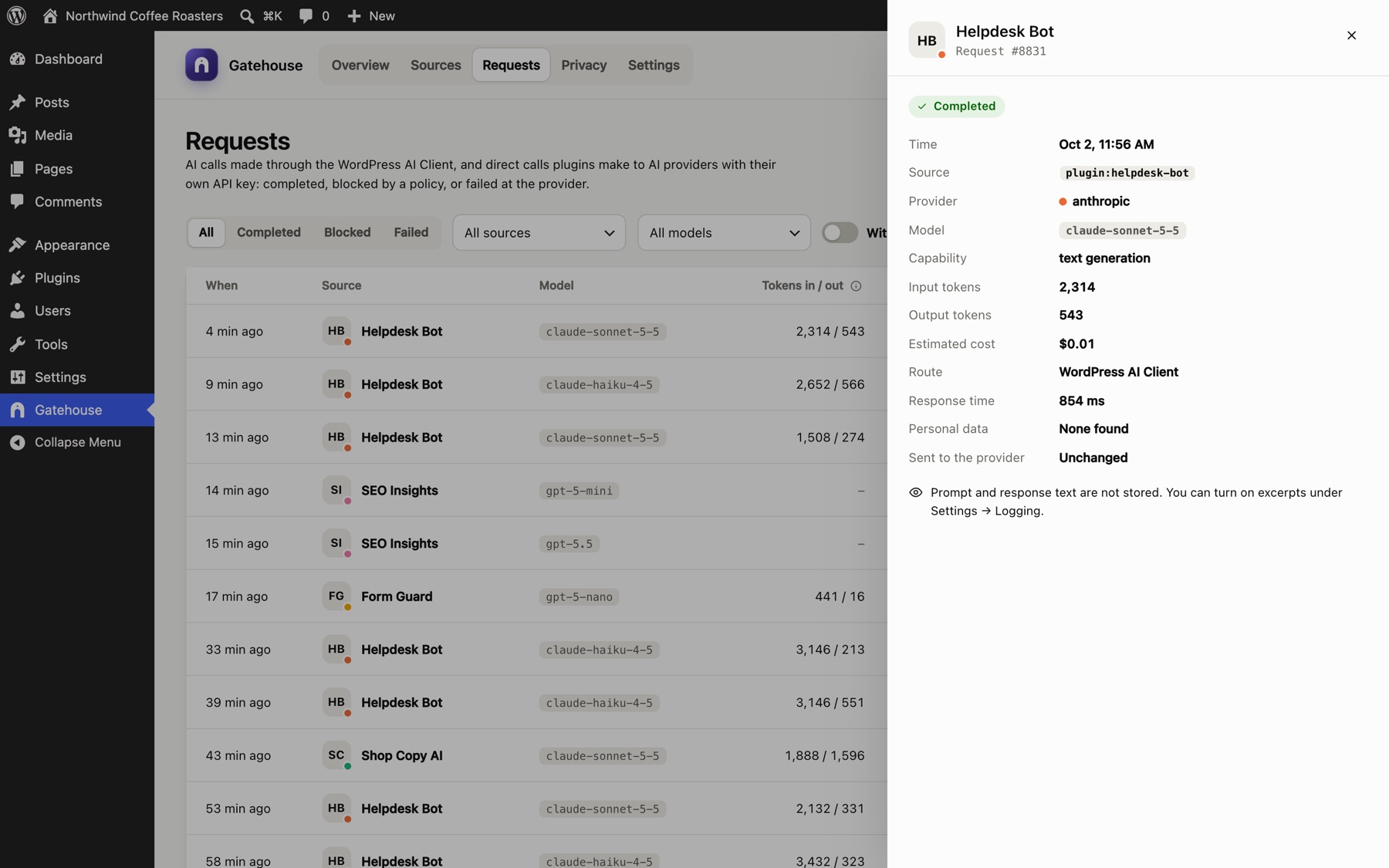
Every call, in detail
Filter the log and open a call to see its tokens, cost, route and the personal data it contained.
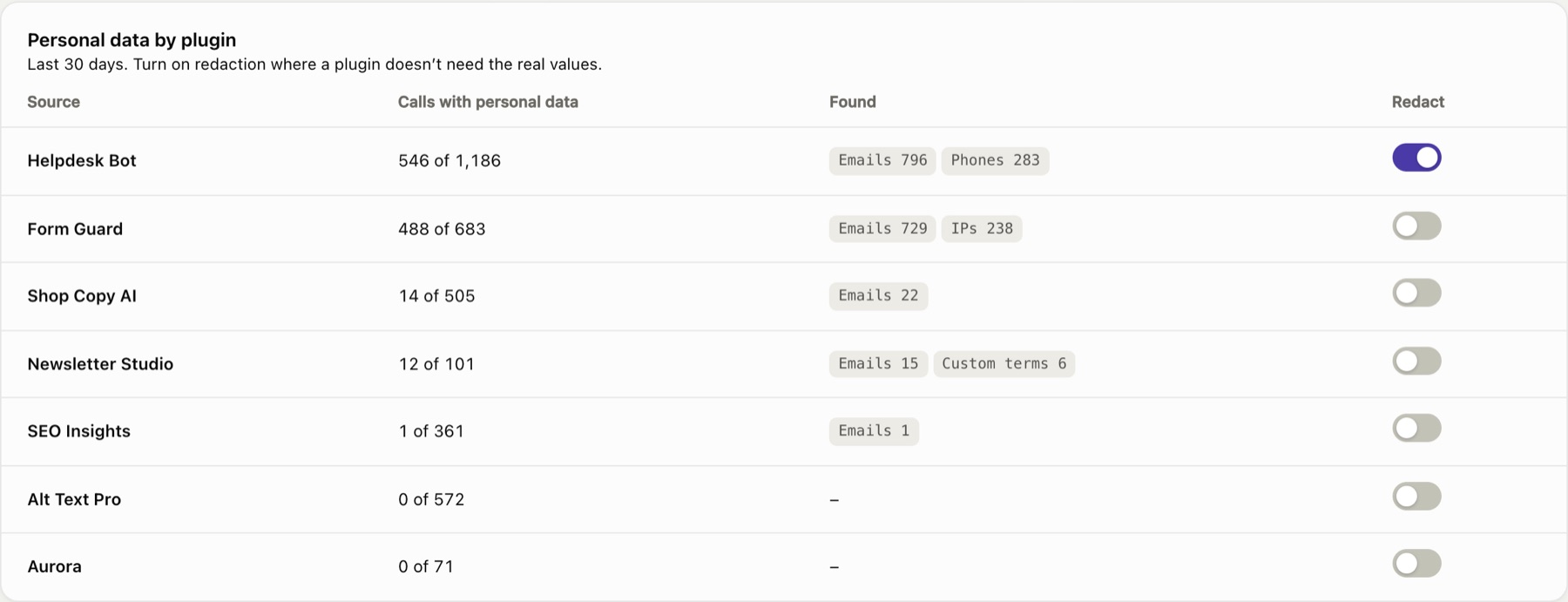
Which plugins send personal data
Under Privacy, see what each plugin sends, turn redaction on for one, try the tester and download the AI data map.
About the demo
- The calls are sample data from fictional plugins. The demo blocks real requests to AI providers, so nothing you type is sent anywhere.
- Want to run it locally? The blueprint is at
demo/blueprint.json. - To install Gatehouse on your own site, download it from the latest release on GitHub.