Two WordPress sites, in your browser
The demo runs on WordPress Playground: a support hub (Acme Support) and a customer site (Northwind Coffee Roasters), already connected, with four months of example tickets. It takes about a minute to start. Nothing is installed on your computer, and nothing you do is saved.
Opens playground.wordpress.net in a new tab. Works best in a desktop browser. Every Pro feature is switched on.
A five-minute tour
Use the purple Helpdesk Hero demo menu at the top left to switch between the two sites.
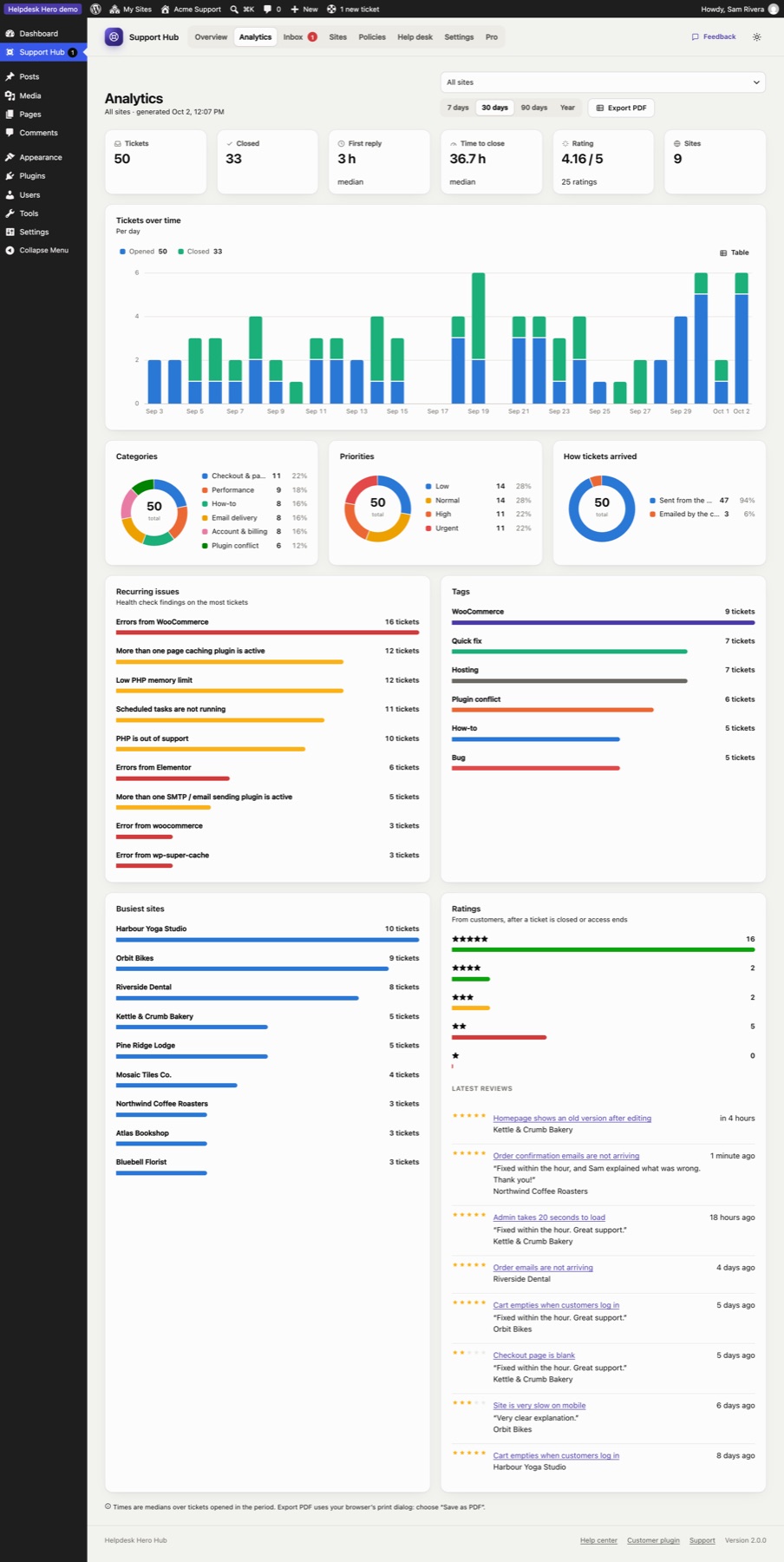
Start on the Overview
You're Sam from Acme Support. The Overview shows four months of tickets from nine customer sites: categories, recurring issues and response times. Open Analytics for the Pro view, filter by site, and try Export PDF.
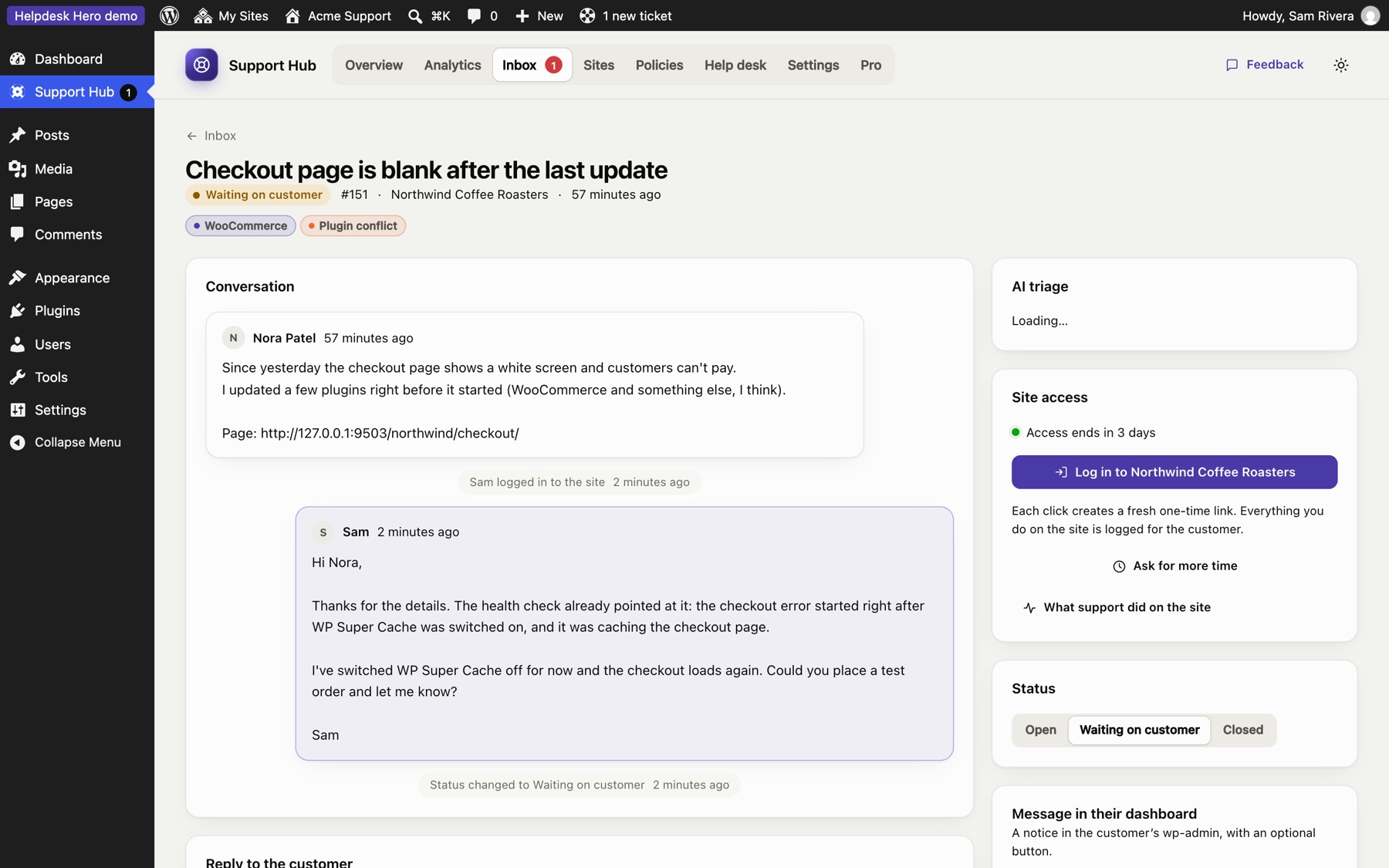
"Checkout page is blank after the last update"
In the Inbox, open Northwind's urgent ticket. Look at the health check, the tags, and What support did on the site. Click Log in to Northwind Coffee Roasters: you're in their site as the temporary support account. Use the demo menu's Back to the demo admin account to return.
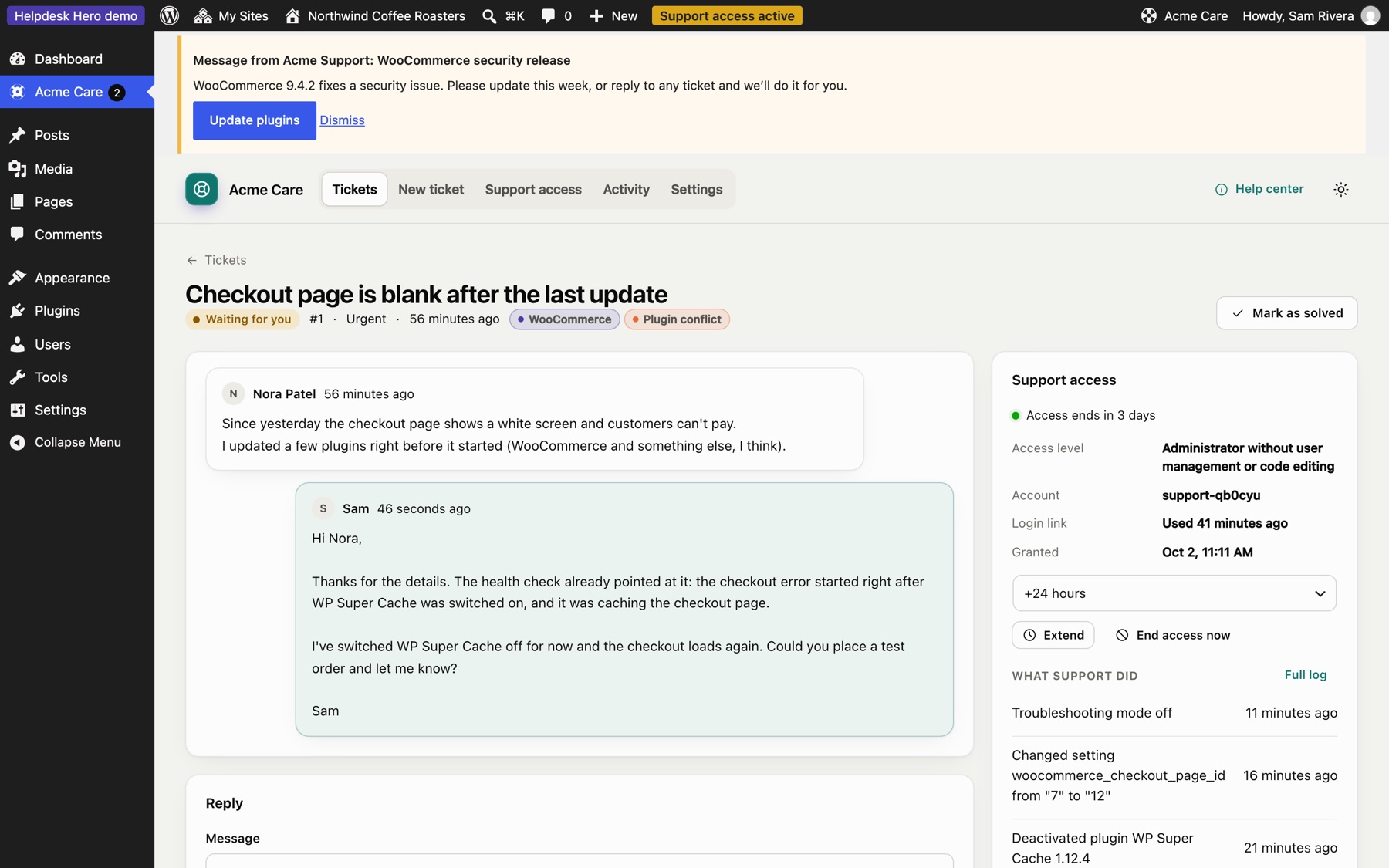
Northwind's help center
Switch to Customer: Northwind Coffee Roasters. It's branded "Acme Care". See the reply, the activity log, and the rating on the solved ticket. Open the unsent ticket to try Email it myself, press I've sent it, and watch it appear in the hub inbox as Emailed.
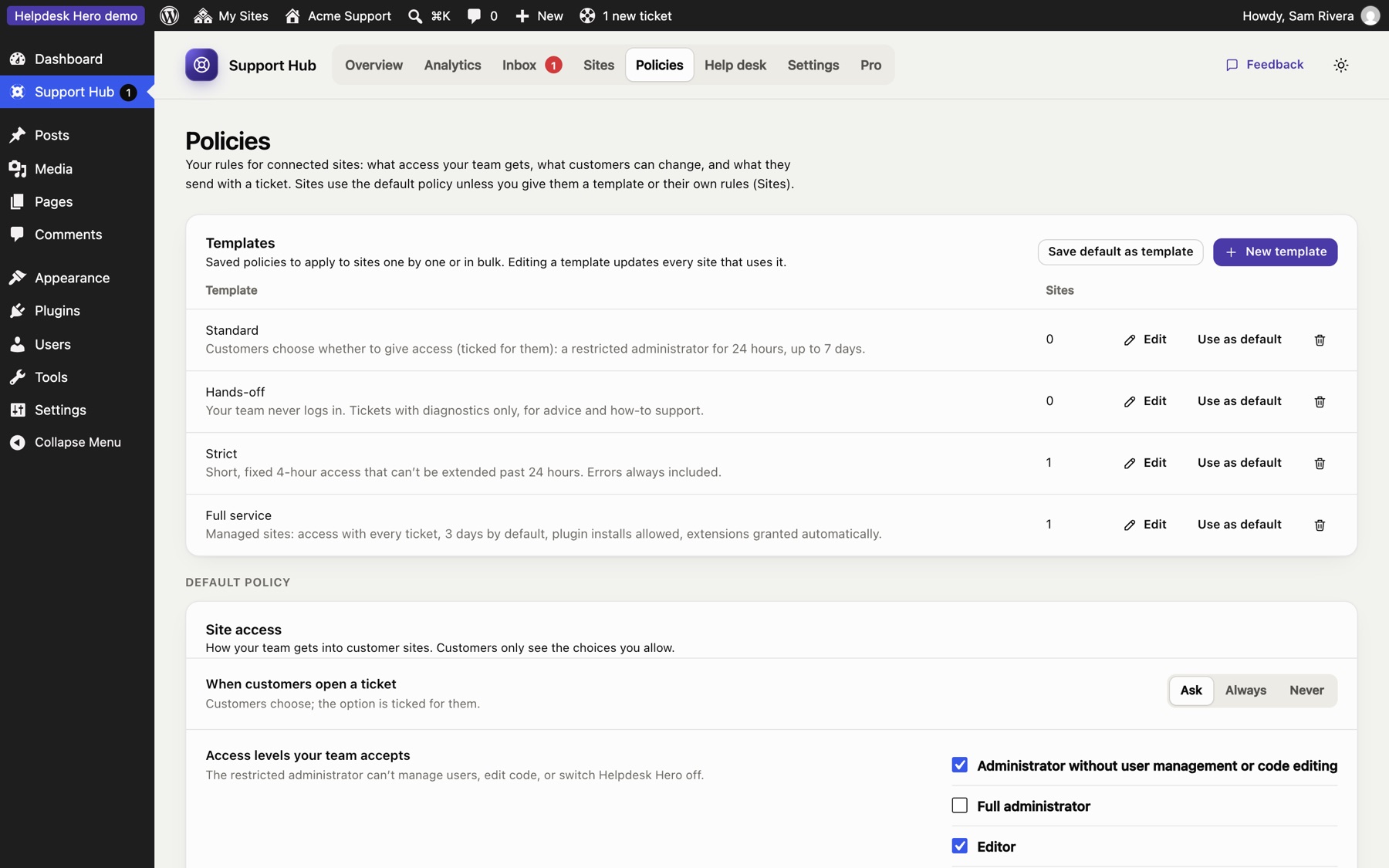
Change the policy, watch the customer follow
In the hub, open Policies, edit the default policy (for example, turn off customer replies or set access to Never) and save. Open Northwind's New ticket page: the form follows your rules.
About the demo
- Both sites live in one WordPress multisite, so they can talk to each other inside your browser. In real life, the hub and each customer site are separate WordPress installs anywhere on the internet.
- Emails are switched off, and the eight other customer sites are examples with no real site behind them.
- Want to run it locally? The blueprint is at
demo/blueprint.json.