Getting started
Gap Finder compares what customers ask in Zendesk tickets with your public documentation. It runs in two parts: this workspace (Overview, Documentation, Extension) and a Chrome or Edge extension that reads the open ticket.
The three steps#
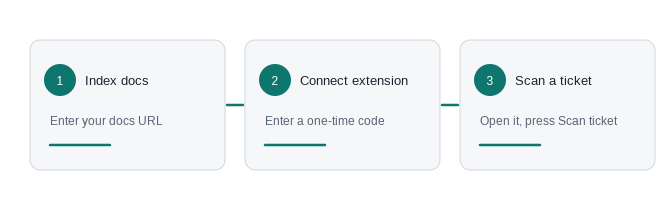
- Index your documentation. Open Documentation, enter your documentation homepage and press Index documentation.
- Connect the extension. Open Extension, download and install it, then press Connect extension and type the code into the extension.
- Scan a ticket. Open a Zendesk ticket, click the extension and press Scan ticket.
The setup card on Overview tracks steps 1 and 2 and disappears when both are done. Select Show setup guide in the sidebar to bring it back.
You can also use Documentation and Findings without an account: choose Continue without an account on the sign-in page. Local checks stay in the tab and nothing is saved.
Still stuck? Check the glossary and FAQ, or ask on GitHub.