Spotlight it
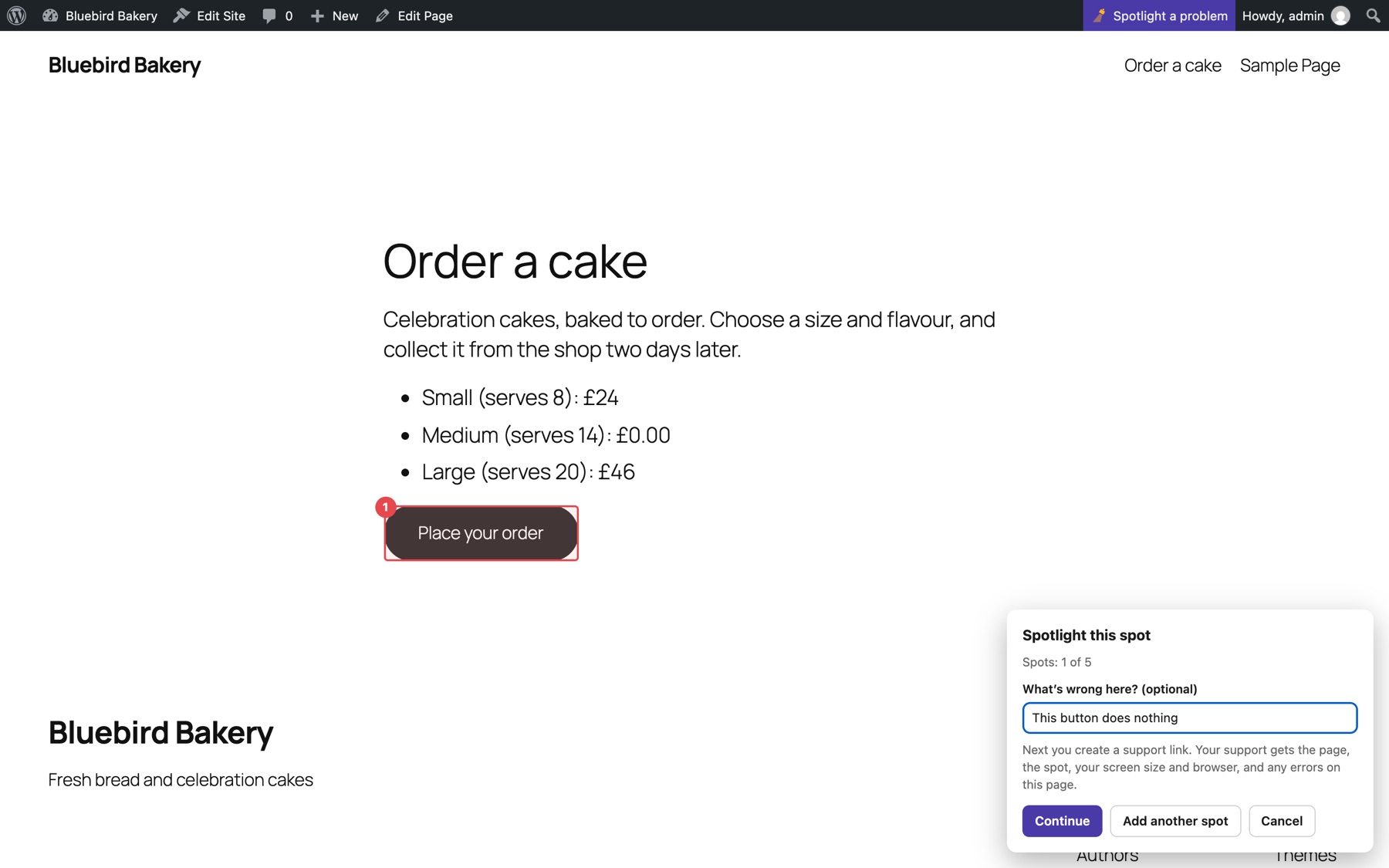
Choose Show the problem, then give access. On the page with the problem, click Spotlight a problem, click the broken part or drag a box around it, and add a note. Up to five spots. In a hurry? Just give access skips this.
A free WordPress plugin
Point at the exact spot that's broken, and let your support team in safely, with no password shared. Fixpass turns a week of “which page?” emails into one click.
Customers know something's wrong, but not what to call it. Support knows how to fix it, but can't see it. In between: screenshots of the wrong page, passwords in plain email, and a week of back-and-forth before anyone touches the problem.
Choose Show the problem, then give access. On the page with the problem, click Spotlight a problem, click the broken part or drag a box around it, and add a note. Up to five spots. In a hurry? Just give access skips this.
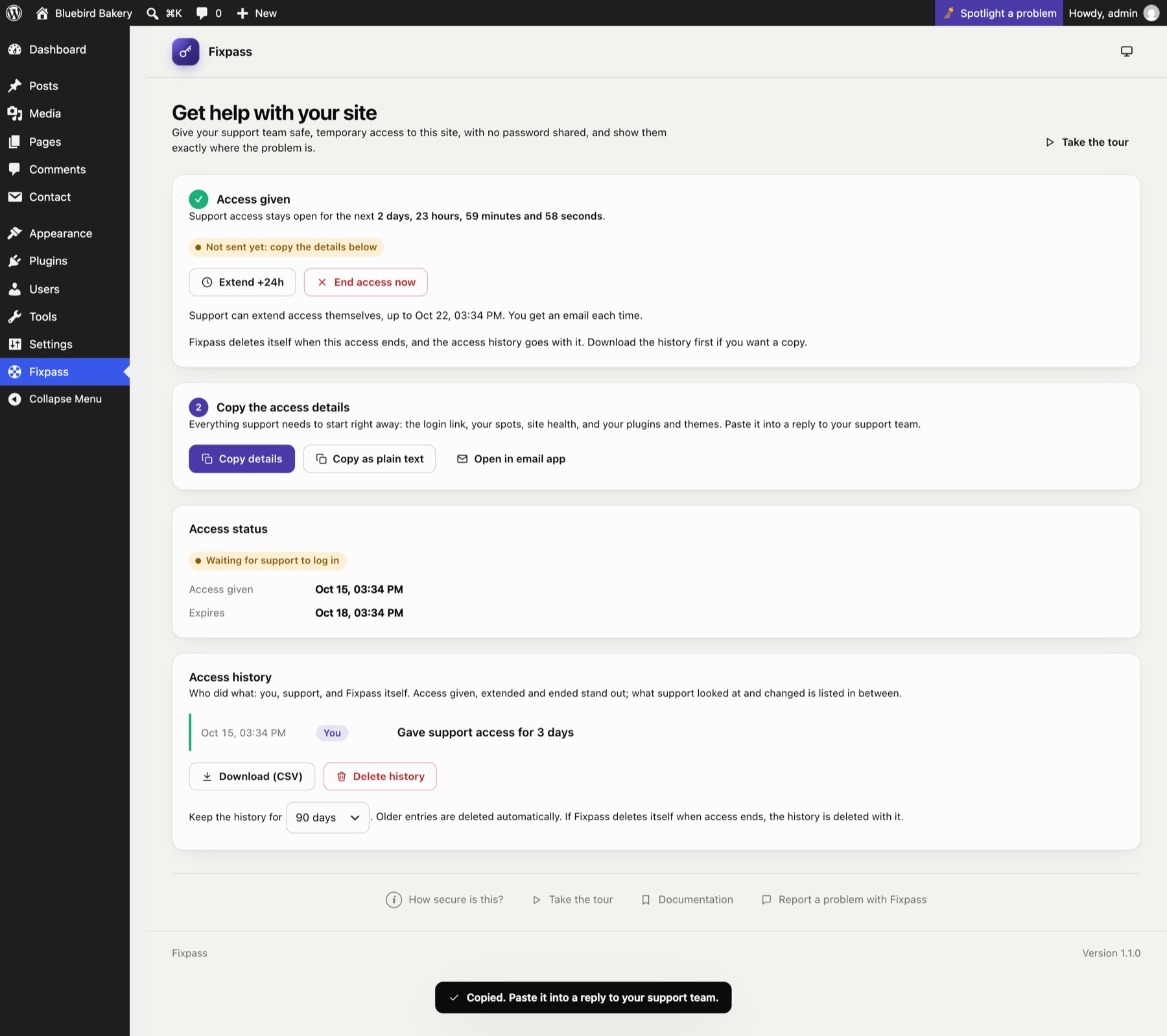
Choose how long support can stay, from a day to a week. A reusable or one-time login link, and a temporary account. No password, ever.
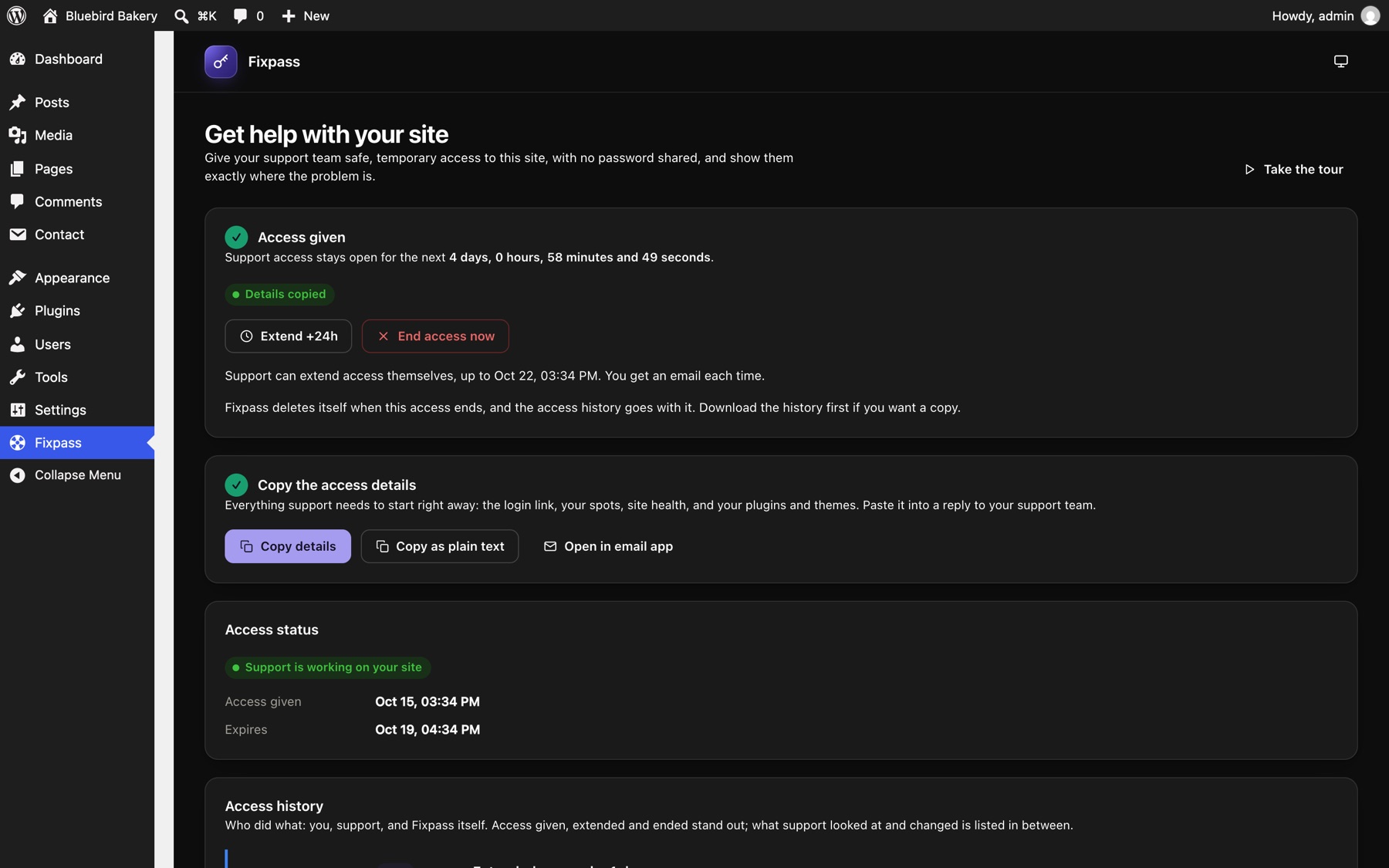
One button copies everything support needs: the login link, your spots, site health, plugins and themes. Paste it into your reply.
Watch the status: you see when support logs in and when they're done. When access ends, their account is deleted. Fixpass can even tidy itself away.
No passwords · No screenshots · No guessing · No passwords · No screenshots · No guessing ·
Just the spot · Just the fix · Just the spot · Just the fix · Just the spot · Just the fix ·
Click or drag a box on any page, front end or dashboard. Each spot carries the page, your note, screen size, browser and any errors.
A full administrator account for 1 day to a week. Extend by a day, or let support add an hour or a day themselves up to a limit you set. End it any time; it also ends by itself.
Let support come back as often as they need until access ends, or allow a single login. Your call.
Formatted for email or plain text: login link, spots, site health, plugins and themes, ready to paste.
Waiting for support, support working on your site, logged out, finished. It updates by itself.
The support account is deleted when access ends. Tick one box and Fixpass deletes itself too.
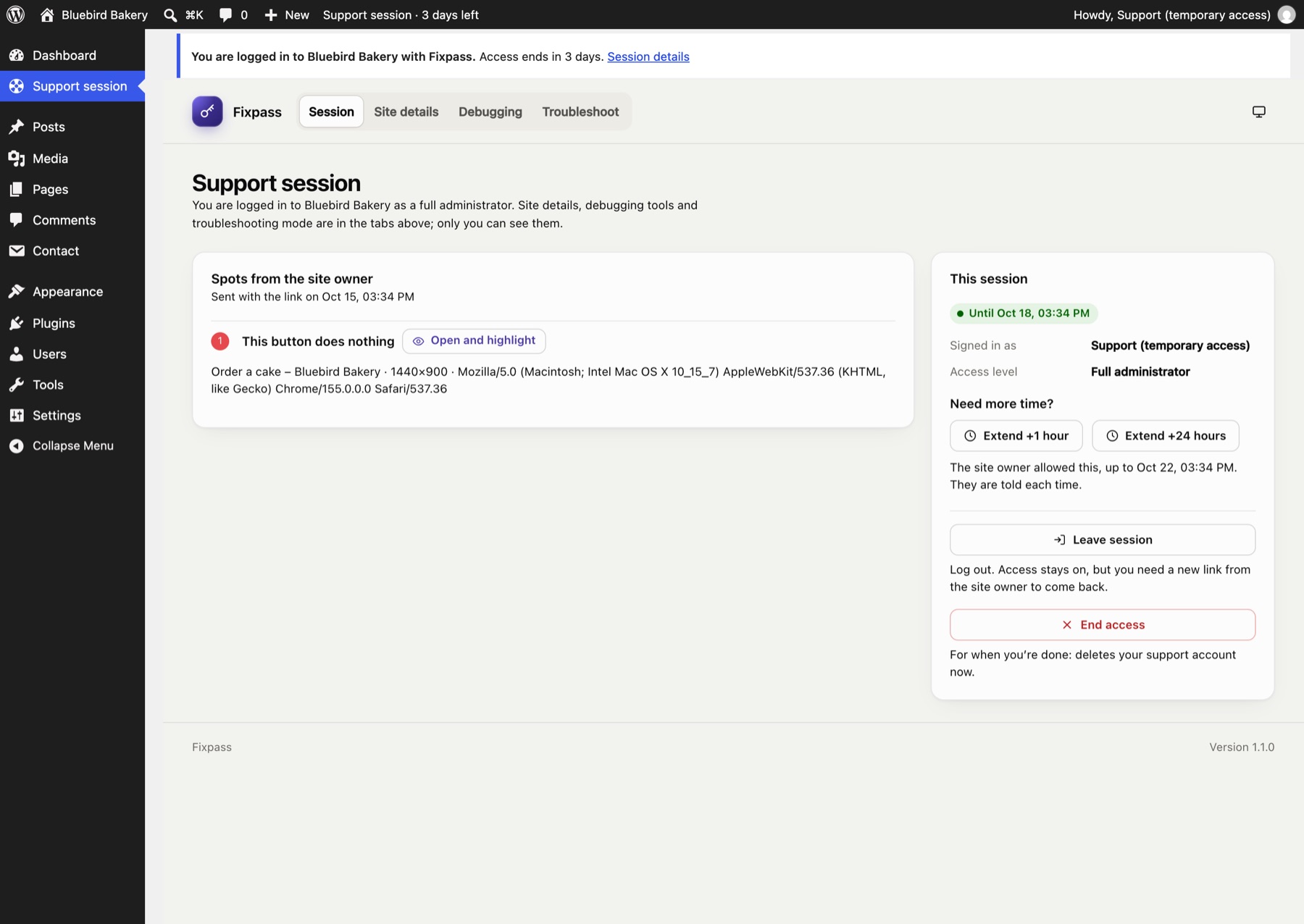
The link lands you on a Support session page with everything the site owner would otherwise have to dig up, visible only to you.
Password login is switched off for support accounts. The link is the only way in.
Only a fingerprint is stored, never the link. A confirmation page stops email scanners using it.
However access ends, the support account is deleted for good, not just switched off.
Support can't create or promote users, and can't remove Fixpass.
Passwords, keys and email addresses are stripped from the site details support sees.
No external services. Details only leave your site when you copy and send them.
Spotlight is the part of Fixpass people love most, so it now works on any website. FixPin is a free app and browser extension: point at what is broken, add a note and share a private link that deletes itself. No account, no WordPress needed.
Fixpass started from a simple observation: in support, the hardest part is rarely the fix. It's getting to it: understanding what a customer means, finding the page they're on, and getting into the site without passwords flying around in email.
Technical teams and their customers speak different languages. Fixpass is the translator: the customer points, support sees, and access is safe and temporary by default. That combination, in one free plugin, is the whole idea.
Free, open source, and on your site in a minute.